

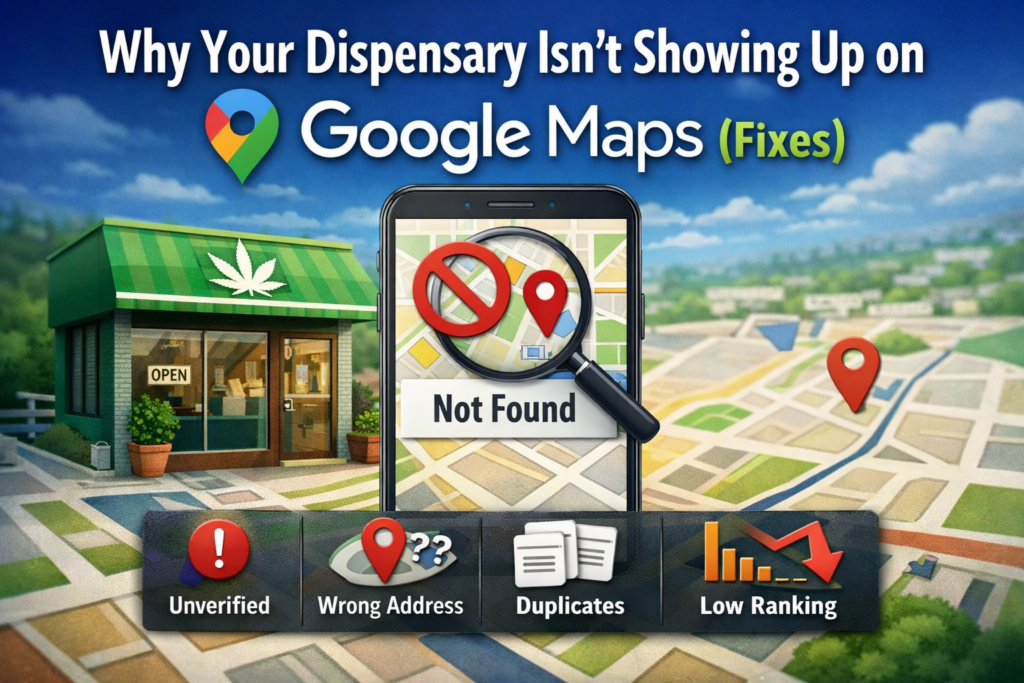
Why Your Dispensary Isn’t Showing Up on Google Maps (Fixes)
If your dispensary isn’t appearing in Google Maps, it’s usually not “random.” Google Business Profiles can be filtered, buried, or removed from visibility for a handful of predictable reasons—most of them fixable once you diagnose the exact failure point.
Below is a practical, step-by-step breakdown of the most common causes and how to fix each one.
1) Your Google Business Profile isn’t eligible (or your setup conflicts with guidelines)
Google requires that eligible businesses make in-person contact with customers during stated hours (with some exceptions). If your profile setup suggests you don’t actually operate where you claim—or you’re using an address that isn’t truly staffed—Google may limit visibility or trigger a review.
Fixes
- Use a real, customer-facing address (with correct signage and staffed hours).
- If you’re service-area/hybrid, set it up the right way (don’t “fake” a storefront address).
- Re-read and align your listing with Google’s official guidance: Guidelines for representing your business on Google.
2) You’re unverified (or verification is incomplete)
A Business Profile that isn’t verified often won’t have full visibility, and in some cases it may barely show at all. Verification issues can also stall edits, categories, and address updates—meaning Google may not “trust” the listing enough to show it consistently.
Fixes
- In Business Profile Manager, check verification status and complete the method Google offers.
- If your address recently changed, you may need re-verification.
- Keep your core info stable while verifying (name, address, category changes during verification can slow things down).
3) You’re filtered by Google’s local ranking system (you’re not “missing”—you’re outranked)
Even if your profile exists, Google Maps only shows a limited set of results for many searches. Google says local rankings primarily depend on relevance, distance, and prominence.
Fixes (mapped to Google’s 3 factors)
Relevance (match the search)
- Choose the most accurate primary category and add supporting secondary categories (don’t spam categories).
- Build out services/products (where applicable), attributes, and a clear description that matches what people search (e.g., “cannabis dispensary,” “recreational dispensary,” “medical dispensary,” delivery/pickup options if you offer them).
- Add high-quality photos consistently—interior, exterior, products, staff, signage.
Distance (proximity)
- You can’t “SEO” your way around distance. If someone searches far away, closer dispensaries may win.
- What you can do: create location-specific landing pages and target nearby neighborhoods/cities on your website to pick up more searches over time (that supports relevance + prominence).
Prominence (authority + trust)
- Get more legitimate reviews (and respond to them).
- Build consistent citations (same name/address/phone) across major directories.
- Strengthen your website’s local signals (title tags, NAP in footer, embedded map, schema, locally relevant content).
Google’s own overview is here: Tips to improve your local ranking on Google.
4) Your address pin, suite number, or NAP info is inconsistent
A tiny mismatch—like “Ste 200” vs “#200,” or using a call center number on your website but a different number on GBP—can cause Google to hesitate, suppress visibility, or show you only for branded searches.
Fixes
- Make your NAP consistent everywhere:
- Website contact page
- GBP
- Apple Maps, Yelp, Bing Places, Leafly/Weedmaps (if you use them), major data aggregators
- Confirm your map pin is accurate (especially if you’re in a plaza or multi-tenant building).
- Avoid frequent edits to name/address/categories in a short time—rapid changes can trigger re-review.
5) Your listing is suspended, disabled, or under a soft restriction
Sometimes you’re not “gone,” you’re restricted—meaning your profile still exists in the dashboard, but it doesn’t show publicly (or only shows intermittently).
Google provides an official path for suspension fixes and appeals.
Fixes
- Look for alerts inside your Business Profile dashboard.
- Correct guideline conflicts (address eligibility, business name stuffing, incorrect categories, misleading hours, etc.).
- If you’re suspended, follow Google’s process here: Fix suspended or disabled profiles.
Pro tip: Before appealing, gather proof:
- Photos of exterior signage
- Business license documentation (where relevant)
- Utility bill/lease (if requested)
- Screenshots of matching NAP across your site and directories
The goal is to show Google your business is real, accurately represented, and customer-facing.
6) You have duplicates, old locations, or merged profiles confusing Google
Duplicate listings (or old practitioner/store profiles floating around) can split ranking signals and create “which one is real?” confusion—leading to suppressed visibility.
Fixes
- Search your dispensary name + address in Google and Maps.
- If you find duplicates:
- Request removal or suggest an edit for “Place is permanently closed” (if it truly is).
- If you own both profiles, merge/clean up through the dashboard or support route.
- Keep only one canonical listing per real-world location.
7) You set your service area incorrectly (or you’re using it when you shouldn’t)
If you deliver or serve multiple areas, service areas can help—but they don’t replace a legitimate location setup. Google allows up to 20 service areas, and they should reflect where you actually serve customers.
Fixes
- Only add the areas you truly serve (cities/ZIPs).
- Don’t set a service area as a workaround for a non-eligible address.
- Here’s Google’s official how-to: Manage your service areas.
8) Your website and GBP aren’t reinforcing each other
Google cross-checks what your Business Profile says against your website. If your site is thin, inconsistent, or unclear (especially around location, hours, and services), your profile can struggle to rank or appear for competitive terms.
Fixes
- Put your full NAP on every page (footer is fine).
- Create a strong “Contact” page with embedded map and matching hours.
- Build local content:
- “Dispensary near [neighborhood]”
- “Best dispensary for [product type] in [city]”
- FAQs specific to your state/city rules and shopping process (avoid medical claims you can’t substantiate).
- Add LocalBusiness schema markup (done right, not spammy).
A quick diagnostic checklist (use this today)
- Search your dispensary name in Google Maps (does it show for branded search?).
- Confirm you’re verified and there are no warnings in the dashboard.
- Check eligibility + guidelines compliance.
- Compare NAP on GBP vs website vs directories.
- Confirm categories, hours, and pin location.
- Look for duplicates.
- Improve relevance/prominence signals (reviews, photos, website, citations).
Closing thought
Most dispensaries don’t have a “Google problem”—they have a setup + trust + consistency problem. Once your profile is eligible, verified, accurate, and supported by real-world prominence signals, visibility becomes far more predictable.
Grow Your Cannabis Company Today!
Let’s take your business to the next level—connect with us today.